
Squarespace vs WordPress Platform Comparison
TL;DR:
- Squarespace is a fully hosted platform with templates, hosting, and support all included
- WordPress needs separate hosting and you'll likely need plugins for most features
- Squarespace works well for straightforward business websites and online stores
- WordPress gives you more control but requires more technical knowledge
- Squarespace has built-in e-commerce tools, WordPress needs WooCommerce or similar
- WordPress offers better SEO options through plugins like Yoast or RankMath
When you're choosing between Squarespace and WordPress, you're really deciding between convenience and control. Both can build great websites, but they work very differently.
Squarespace: Everything Built In
Squarespace handles all the technical stuff for you. When you sign up, you get hosting, templates, customer support, and all the tools you need in one package.
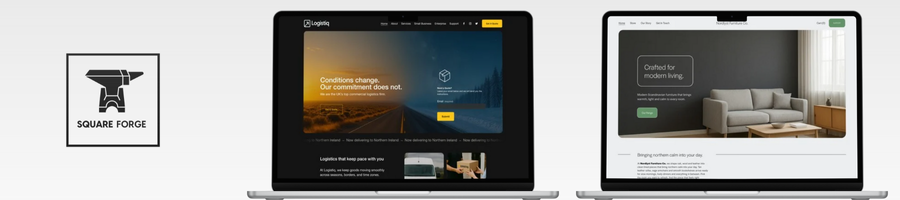
The drag-and-drop editor makes it simple to build pages. You pick a template, add your content, and customise the design using their interface. Most business owners can get a professional-looking site up and running in a day or two.
What Squarespace does well:
- Templates that look professional straight out of the box
- Hosting and security handled automatically
- Built-in e-commerce with payment processing
- Good mobile optimisation on all templates
- Reliable customer support when you need help
The downside is you're limited to what Squarespace offers. You can't install third-party plugins or completely rebuild how something works. If Squarespace doesn't have a feature you need, you might be stuck.
WordPress: More Control, More Complexity
WordPress gives you much more flexibility, but you'll need to handle more of the technical side yourself. You'll need separate web hosting, and most useful features come from installing plugins.
The WordPress community has built thousands of plugins and themes. Need a booking system? There's a plugin. Want advanced SEO tools? Multiple options available. Complex membership site? WordPress can handle it.
What WordPress does well:
- Unlimited customisation through plugins and themes
- Better SEO capabilities with tools like Yoast or RankMath
- You own your content completely
- Can handle complex functionality requirements
- Usually cheaper for simple sites
The trade-off is complexity. You'll need to manage hosting, security updates, plugin compatibility, and backups. Most WordPress sites end up needing some technical maintenance.
E-commerce Comparison
Squarespace includes e-commerce tools in their Business and Commerce plans. You get product pages, checkout, inventory management, and basic analytics without installing anything extra.
WordPress needs WooCommerce or another e-commerce plugin. WooCommerce is powerful and flexible, but you'll spend time setting it up and choosing from hundreds of extensions for different features.
For straightforward online stores, Squarespace is quicker to set up. For complex e-commerce requirements, WordPress with WooCommerce gives you more options.
Which Platform Suits You?
Choose Squarespace if you want to focus on your business rather than managing a website. It works well for:
- Service-based businesses
- Simple online stores
- Portfolio websites
- Small to medium business sites
Choose WordPress if you need specific functionality or want complete control. It's better for:
- Complex websites with custom requirements
- Sites that need lots of third-party integrations
- Businesses with technical resources
- Long-term projects where you want to avoid platform lock-in
FAQs
Can I move from WordPress to Squarespace easily?
Squarespace provides import tools for WordPress content, but you'll need to rebuild your design using their templates. The process works but takes some time to get everything looking right.
Do I need my own domain name?
Both platforms work with custom domains. Squarespace includes a free domain for the first year on annual plans. With WordPress, you'll buy the domain separately from your hosting.
Which platform is better for SEO?
WordPress typically offers more SEO control through plugins like Yoast or RankMath. Squarespace has decent built-in SEO tools, but they're more basic. For most small businesses, both platforms can rank well with good content.
What happens if I want to switch platforms later?
Moving from Squarespace to WordPress is straightforward since WordPress can import most content types. Going the other way requires more manual work since you're moving from a flexible system to a more structured one.
Jargon Buster
Templates: Pre-designed website layouts you can customise with your content and branding. Squarespace templates are more structured, WordPress themes vary widely in flexibility.
Plugins: Add-on software for WordPress that provides extra functionality. Think of them like apps for your website – payment processing, SEO tools, contact forms, etc.
Hosting: The service that keeps your website files online and accessible to visitors. Squarespace includes hosting, WordPress requires you to arrange it separately.
Custom Domain: Your own web address (like yourcompany.com) rather than a subdomain of the platform (yoursite.squarespace.com).
SEO: Search Engine Optimisation – the practice of making your website more likely to appear in Google and other search engines when people search for relevant terms.
Wrap-up
Your choice between Squarespace and WordPress comes down to what matters more: simplicity or flexibility.
Squarespace works well when you want a professional website without the technical headaches. Everything's included, the templates look good, and you can focus on your content and business.
WordPress makes sense when you need specific features, want complete control over your site, or plan to build something complex. You'll invest more time in setup and maintenance, but you get a platform that can grow with almost any requirement.
Both platforms can create successful websites. Pick the one that matches your technical comfort level and business needs.
Join Pixelhaze Academy to learn more about building effective websites on Squarespace.