
Using Unsplash Images for Web Design
TL;DR:
- Use Unsplash's search to find high-quality photos for your web projects
- Download images directly and check the license terms before using
- Always optimise images for web use to keep loading times fast
- Credit photographers unless they've waived this requirement
- All Unsplash images are free for commercial use
Unsplash gives web designers access to thousands of professional photos without the cost. Here's how to make the most of it for your projects.
Finding Images That Work
Start with Unsplash's search bar. Type in keywords that match what you need, whether that's "laptop workspace" or "restaurant interior". If you're not sure what you want, browse through their curated collections instead.
The search filters are fairly basic. You can sort by relevance, newest, or most downloaded, but you won't find advanced options like colour filtering or orientation sorting. For most web design work, the keyword search does the job well enough.
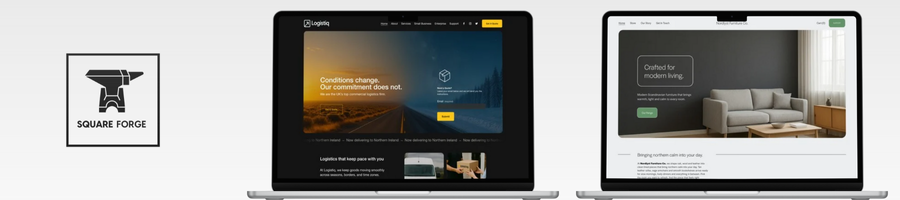
When you're browsing results, look beyond just the subject matter. Check the image composition and lighting. Photos with plenty of negative space work better as backgrounds, while high-contrast images suit hero sections.
Getting Your Images
Click the green download button below any image you want to use. Unsplash offers multiple sizes, so pick the one that matches your needs. The largest size gives you flexibility, but smaller files are quicker to download if you know you'll be resizing anyway.
Before you use any image, check its specific license details. Most Unsplash photos are completely free to use, but some photographers add restrictions. Click through to the image page to see if there are any special terms.
Adding Images to Your Site
Once you've downloaded your images, you'll need to optimise them before uploading to your website. Large image files slow down loading times, which hurts both user experience and SEO.
Use tools like TinyPNG or ImageOptim to compress your files without losing quality. Aim for under 100KB for most web images, though hero images can be larger if they're crucial to your design.
When adding images to platforms like Squarespace, upload them at the right dimensions for where they'll appear. This saves the platform from having to resize them automatically, which often produces poor results.
Attribution Rules
You need to credit the photographer unless they've specifically said you don't have to. Most Unsplash photographers appreciate attribution even when it's not required.
The easiest way is to add a small credit line near the image or in your site's footer. Something like "Photo by [Photographer Name] on Unsplash" with a link back to their profile works perfectly.
For client work, explain these attribution requirements upfront. Some clients prefer to avoid any crediting requirements and might want to use paid stock photos instead.
What to Watch Out For
Unsplash images are popular, which means the same photo might appear on multiple websites. If brand uniqueness matters, consider editing the image or layering text and graphics over it to make it more distinctive.
Some images contain recognisable people or branded products. While Unsplash handles the basic licensing, you might need additional permissions for certain commercial uses, especially in advertising.
Always keep records of which images you've downloaded and from where. This makes it easier to provide proper attribution and track usage across different projects.
TL;DR:
- Search Unsplash using specific keywords for your project needs
- Download images and check for any special licensing terms
- Optimise file sizes before uploading to keep your site fast
- Credit photographers unless they've waived this requirement
- Remember that popular images might appear on other websites too
FAQs
Can I edit Unsplash images before using them?
Yes, you can crop, resize, add filters, or overlay text on Unsplash images. The license allows modifications.
Do I need to credit photographers in my website footer?
Attribution can go anywhere on your site. Footer credits work fine, or you can add them near the specific images.
What happens if I forget to add photo credits?
While it's not legally required for most Unsplash images, it's good practice and helps support the photography community.
Can I use the same Unsplash image across multiple client projects?
Yes, the license allows this, but consider whether using the same image affects each client's brand uniqueness.
Jargon Buster
Attribution – Giving credit to the original photographer by including their name and a link back to their work.
Image optimisation – Reducing file sizes while maintaining visual quality, usually through compression techniques.
Negative space – Empty or uncluttered areas in a photo that can accommodate text or other design elements.
Hero image – The large, prominent image that appears at the top of a webpage, often behind the main headline.

Wrap-up
Unsplash makes it easy to find professional photos for web projects without the usual licensing headaches. The key is choosing images that fit your design goals and optimising them properly for web use. Take a moment to credit photographers and keep track of what you've used. With these basics covered, you'll have access to a massive library of quality images that can elevate any web design project.
Ready to level up your web design skills? Join Pixelhaze Academy for in-depth courses and hands-on tutorials.